AI with ROI: Why Businesses Should Care About Intelligent Capture
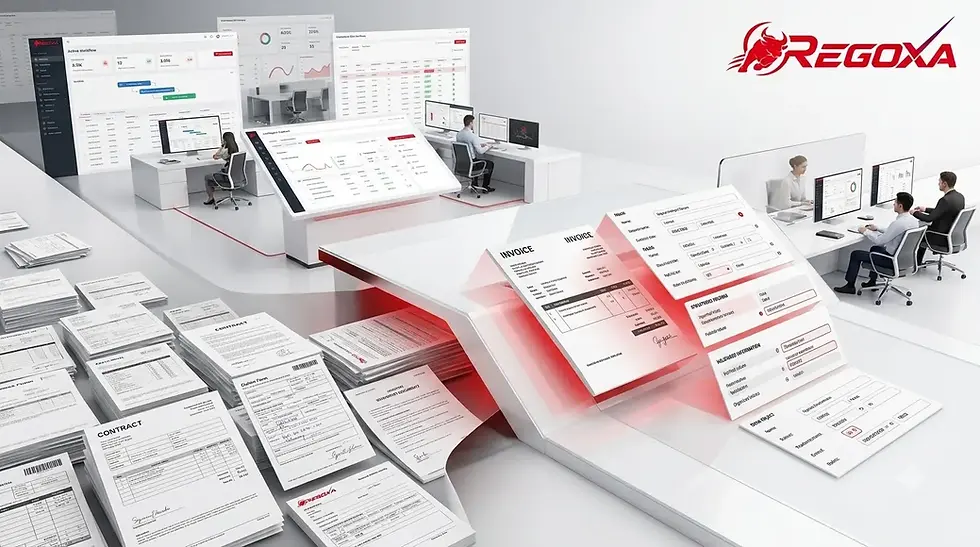
Most enterprises have already made the case for AI internally. The investment is approved, the roadmap exists, and the tools are in place. But a specific problem keeps surfacing: the AI running downstream processes is only as good as the data feeding it, and a significant portion of that data is still arriving locked inside documents no system can read without human help.
That's the AI adoption gap most organizations aren't talking about. Invoices, contracts, applications, claims forms, delivery records—these documents carry business-critical information that reaches enterprise systems only after someone reads them, interprets them, and manually keys the data in. Every hour that takes is an hour your AI automation is waiting. Intelligent capture closes that gap. It turns incoming document content into structured, validated data that downstream systems can use immediately, without a person in the middle. For enterprise buyers evaluating where AI actually delivers a return, this is the category worth understanding.
Why Intelligent Capture Is the AI Adoption Decision That Actually Pays Off
AI is a broad investment category. Intelligent capture is a specific one, with a clear connection between what it does and what it saves.
How Intelligent Capture Closes the AI Adoption Gap for Enterprise Operations
Most organizations struggle to demonstrate AI ROI because they apply AI to processes that are already structured. The real friction sits earlier, at the point where information enters the business in formats that enterprise applications can't process directly.
Intelligent capture addresses that specific problem:
Documents arrive through email, scan, upload, or fax in varying formats and layouts
Regoxa Intelligent Document Processing reads those documents regardless of format, classifies them, extracts the relevant fields, and validates the output
Structured data flows into the next process without manual intervention
Employees shift from data entry to decision-making and exception handling
That's the ROI mechanism. Less time spent moving information from documents into systems. More time spent on work that requires judgment.
Why AI Automation Stalls Without Intelligent Capture at the Front End
AI automation tools are built to handle structured, predictable inputs. When the inputs aren't structured, the automation either stalls or requires manual preprocessing that defeats the purpose.
The pattern looks like this in most document-heavy operations:
Document arrives and sits in a queue
An employee opens it, determines what type of document it is
Relevant fields get identified and entered into the system manually
The automation platform finally receives the data and continues
Regoxa OCR/ICR handles the step that breaks that cycle. It reads both printed and handwritten content, understands document layout, identifies tables and sections, and produces clean output that automation platforms can act on without any manual preprocessing. For AI adoption programs where ROI is measured at the process level, removing that manual front-end step changes the economics significantly.
How Intelligent Capture Turns Unstructured Documents Into AI Automation Fuel With Regoxa
Calling a document "digital" doesn't make it usable. A scanned invoice stored in a cloud folder is still unstructured data until something reads it, understands it, and extracts the fields a business process needs. That conversion—from document to usable data—is what intelligent capture does, and what it does well is the difference between AI automation that works and AI automation that creates new manual steps to compensate.
How Regoxa Data Extraction Converts Document Content Into Structured Business Data
Regoxa Data Extraction and Validation handles this conversion across document types that vary significantly in layout, quality, and content:
Supplier invoices with different field positions, layouts, and table structures
Customer application forms arriving through different channels
Claims documents combining forms, photographs, and supporting records
Contracts and legal documents where specific clauses need to reach the right team
The extraction process identifies which fields matter for the downstream process, locates them regardless of where they appear on the document, pulls the values, and validates them against defined rules before passing the data forward. What reaches the enterprise application isn't a block of recognized text. It's field-level structured data, ready to use.
How Regoxa Quality Analytics Protects Intelligent Capture Accuracy Before Errors Spread
Extraction accuracy matters, but what matters more is catching errors before they reach downstream systems where correction costs multiply. Regoxa Quality Analytics gives operations teams visibility into where extraction performance is strong and where it needs attention:
Monitors straight-through processing rates across document types
Surfaces the specific document layouts or field types causing extraction errors
Identifies patterns in exceptions before they become systemic problems
Provides data-driven insight to improve processing accuracy over time
For enterprise buyers evaluating AI adoption at scale, that visibility changes how you manage the program. You're not waiting for a downstream error to tell you something went wrong upstream. Where Intelligent Capture Delivers Measurable ROI Across Business Processes With Regoxa
The strongest argument for intelligent capture isn't conceptual. It's process-specific. The ROI case is clearest in operations where document volume is high, manual effort is significant, and the gap between receiving information and acting on it is measurable.
How Regoxa Intelligent Capture Accelerates Accounts Payable Without Adding Headcount
Invoice processing is the use case where intelligent capture ROI is most straightforward to measure. An organization processing high volumes of supplier invoices across different formats spends substantial employee time on steps that shouldn't require human attention:
Identifying each invoice and determining its supplier
Locating line items, totals, tax fields, and purchase order references across different layouts
Entering that data into the financial system
Matching invoices to purchase orders and flagging discrepancies
Regoxa Invoice Parser handles the recognition and extraction layer. Regoxa Accounts Payable Automation connects that structured data to the downstream approval and payment workflow. The manual steps between receiving an invoice and processing it compress significantly. Employees handle exceptions and discrepancies. The repeatable work runs without them.
How Regoxa Intelligent Capture Removes Manual Bottlenecks From Customer Onboarding
Customer onboarding is document-heavy by nature. Applications, identity documents, proof of address, and supporting forms—each one needs to be identified, read, and verified before the onboarding process can continue. The manual version of this process creates a measurable delay between a customer submitting documents and an account being activated. That delay has a cost: in staff time, in customer satisfaction, and in the competitive position of organizations where onboarding takes longer than it should. Regoxa Customer Onboarding uses intelligent capture to connect incoming customer documents directly to the onboarding workflow:
Documents submitted through any channel get recognized and classified immediately
Relevant fields are extracted and validated against onboarding requirements
Data flows into the CRM or onboarding platform without manual transfer
Exceptions route to staff for review while straight-through cases complete automatically
The result is a process where human involvement concentrates on cases that actually need it. How AI Automation Scales When Intelligent Capture Feeds It Clean Data With Regoxa
Getting intelligent capture working on one process is a starting point. The larger opportunity is what happens when that capability connects to a broader AI automation program across the organization. Clean, structured, validated data flowing from intelligent capture into existing systems changes what automation can do. Processes that previously required manual preprocessing now run end-to-end. Volumes that required headcount increases now scale without proportional staffing changes.
How Regoxa IDP Analytics Measures the Business Impact of Intelligent Capture Programs
Regoxa IDP Analytics gives enterprise leaders the metrics to understand whether their intelligent capture investment is performing and where improvement opportunities exist:
Processing time by document type and workflow
Straight-through rates and exception volumes
Automation levels across different business processes
Cost per transaction before and after intelligent capture is introduced
These are the measures that connect technology investment to business performance. For AI adoption programs where leadership needs to see demonstrated ROI before expanding the program, this data provides it.
How Regoxa Timeline Connects Intelligent Capture to Process-Level AI Automation
Intelligent capture solves the information intake problem. Regoxa Timeline addresses what happens after that information enters the workflow. Process Discovery and Process Analysis within Regoxa The timeline maps how work actually moves through the organization based on system data. They surface where bottlenecks concentrate, where exceptions cluster, and where the handoff between intelligent capture and downstream automation is losing time. That combination—intelligent capture providing clean data and process intelligence identifying where that data flows next—gives operations leaders a complete picture of where AI automation is working and where it isn't.
What Enterprise Buyers Should Evaluate Before Committing to Intelligent Capture With Regoxa
Choosing an intelligent capture solution requires more than evaluating recognition accuracy on sample documents. The real evaluation is whether the solution handles the variation in your actual production environment and connects to the processes your organization already runs.
Enterprise buyers should assess:
Whether the solution handles both printed and handwritten content across document types in scope
How classification performs when documents arrive in mixed batches without pre-sorting
What the validation and exception handling workflow looks like in practice
How structured output connects to existing ERP, CRM, or workflow platforms
What deployment options are available—Regoxa Cloud supports cloud-based deployment, while Regoxa's API and SDK options integrate document intelligence directly into existing applications
How the solution performs on actual production documents, not curated test samples
What visibility the solution provides into processing performance and accuracy over time
How the solution handles compliance requirements—Regoxa is built to GDPR and HIPAA standards for organizations handling sensitive document content in regulated industries
The question that matters most isn't whether intelligent capture can read a document. It's whether it can reliably turn the documents your organization receives every day into information your existing processes can act on immediately. That's where the ROI lives, and that's the evaluation worth running.
Ready to see how Regoxa intelligent capture fits your document workflows? Schedule a demo at regoxa.com
Key Takeaways
Intelligent capture closes the gap between documents arriving and data entering business processes
AI automation programs produce better ROI when document intake is handled by intelligent capture rather than manual preprocessing
Regoxa Intelligent Document Processing, OCR/ICR, Data Extraction and Validation, and Quality Analytics handle the full capture-to-output workflow
Regoxa Invoice Parser and Accounts Payable Automation deliver measurable ROI in invoice-intensive operations
Regoxa IDP Analytics provides the metrics needed to demonstrate and expand intelligent capture ROI
Regoxa Timeline connects intelligent capture output to process-level performance intelligence
Enterprise evaluation should use real production documents and assess integration, compliance, and exception handling alongside recognition accuracy
Frequently Asked Questions
How long does a Regoxa intelligent capture implementation typically take?
Implementation timelines depend on the document types in scope, the number of workflows being connected, and the integration complexity. Simpler deployments with standard document types can be operational quickly. Enterprise implementations involving multiple workflows and integrations are scoped during the evaluation phase.
How does Regoxa Intelligent Capture integrate with existing ERP and CRM systems?
Regoxa provides REST APIs and SDKs for connecting intelligent capture output to external applications. The platform integrates with ERP, CRM, custom SaaS applications, and existing RPA workflows, allowing structured document data to flow into the systems already running the business.
How does intelligent capture scale as document volumes grow?
Regoxa handles high-volume document processing without requiring proportional increases in staff. Processing capacity scales through Regoxa Cloud and API-based deployment, allowing organizations to increase throughput without redesigning their processing architecture.
How does Regoxa handle compliance requirements for sensitive documents?
Regoxa is built to GDPR and HIPAA standards. Organizations handling sensitive documents in financial services, healthcare, insurance, and legal environments can deploy Regoxa with confidence that document processing meets regulatory requirements.
What security controls does Regoxa provide for document processing?
Regoxa supports secure, token-based API access, cloud and on-premises deployment options, and edge processing for environments that require data to remain on-device. Organizations with strict data residency requirements can deploy Regoxa in configurations that meet those standards.
How do organizations measure ROI from intelligent capture?
Regoxa IDP Analytics tracks processing time, straight-through rates, exception volumes, automation levels, and cost per transaction. These metrics provide the before-and-after data needed to demonstrate ROI at the process level and build the business case for expanding the program.
What criteria should an enterprise use to evaluate intelligent capture solutions?
Evaluate recognition accuracy with real production documents, classification performance on mixed-format batches, extraction and validation depth, exception handling workflow, integration options, deployment flexibility, compliance posture, and the visibility provided into processing performance over time.
How does intelligent capture handle documents processed across multiple locations or departments?
Regoxa supports multi-location deployment through cloud and API-based architecture. Document workflows spanning multiple sites, departments, or business units connect through centralized processing with consistent classification, extraction, and validation rules applied across the organization.
What happens when intelligent capture encounters a document it cannot process with high confidence?
Low-confidence extractions are flagged as exceptions and routed to human review. Regoxa Quality Analytics surfaces the patterns behind those exceptions, giving operations teams the data to understand whether the issue is document quality, layout variation, or a configuration adjustment needed in the extraction templates.
How long is document data retained after intelligent capture processing?
Data retention policies depend on the organization's configuration and applicable regulatory requirements. Regoxa supports configurable retention settings to align with compliance obligations in regulated industries, including finance, healthcare, and insurance.
Comments